
Why does your inspection report branding matter?
Inspection report branding matters because your final report is the primary documentation of your work a client or real estate agent keeps. Dropping a customized, branded report into their hands instead of a generic, unformatted text file acts as a “silent salesman” for your business – proving your skills, building your reputation, and making it easier to charge what you’re worth.
You can crawl through every tight attic space, catch every hidden defect, and give a flawless verbal summary on-site. But once you pull out of the driveway, your hard work fades into the background. What remains, and what the client and agent hold onto, is your inspection report, and if it looks like a messy, hard-to-read grocery list of random issues, that disorganized presentation is exactly what sticks in their minds. A sloppy layout undercuts your knowledge and makes top-dollar pricing tough to defend when you quote a job.
The goal here is simple: Stop sending basic, generic files that look like they were generated a decade ago. It’s time to hand over a polished, branded asset that builds your reputation and helps keep your inspection schedule full.
How do I create inspection reports that stand out?
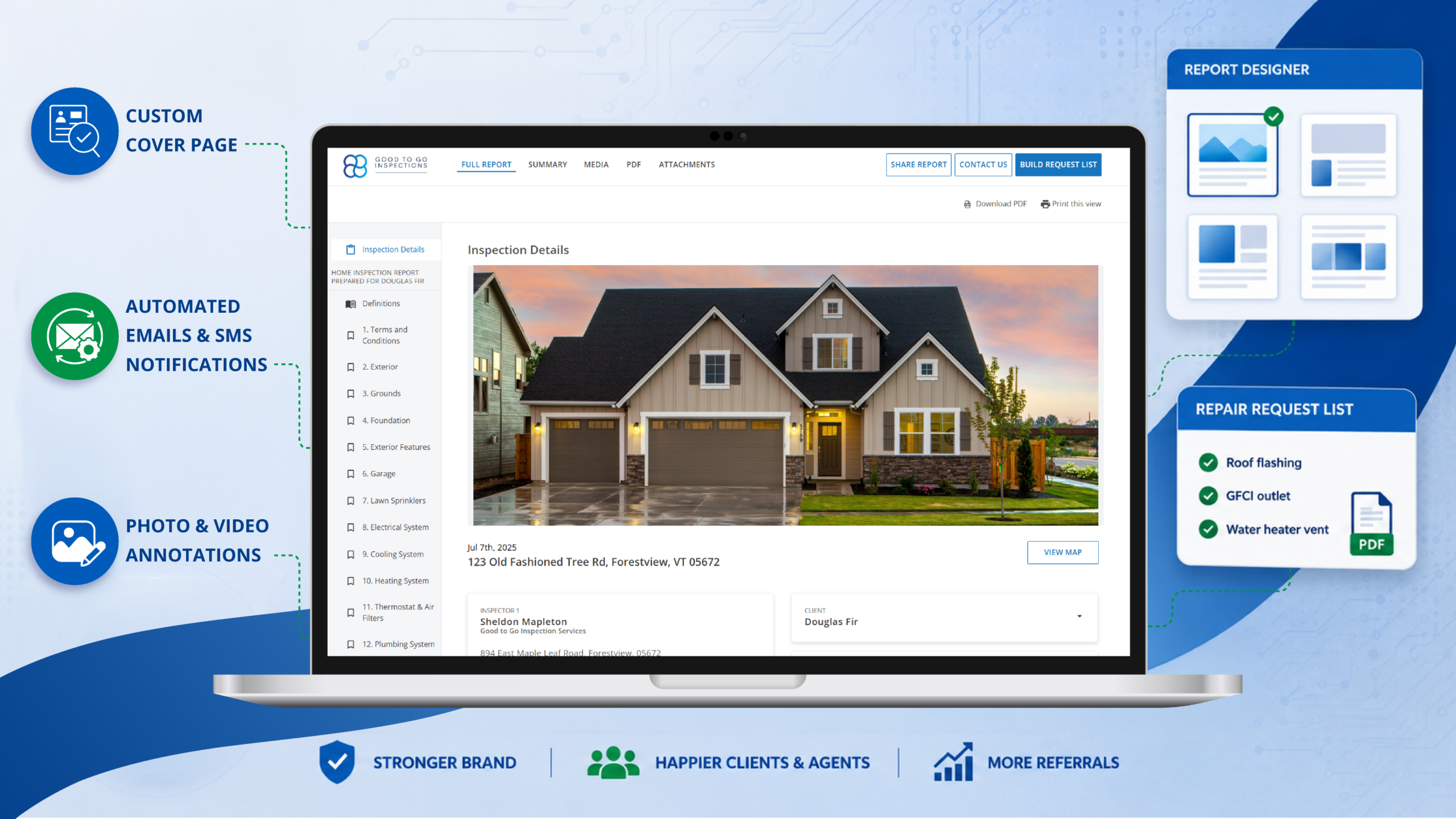
You can create custom cover pages that stand out quickly and easily – add your own logo, a professional headshot, and a high-quality property photo. Giving your reports a custom look removes generic software branding and turns your first page into a marketing tool that grabs the attention of agents and buyers.
Setting up a clean layout isn’t about being a graphic designer. It’s just about putting the right pieces in the right places so agents and clients instantly recognize your business.
- Your logo: Put your brand front and center – when an agent passes your report to a colleague, your company name should be the first name they see
- The “face” of the business: Stick a clean headshot on the cover – it humanizes the report and reminds the buyer that a real person is looking out for them during a potentially stressful transaction
More ways to present your reports
Your software shouldn’t force you into a one-size-fits-all layout. Instead of being stuck with a single style, the ISN Report Designer lets you choose from four cover design options to match your preference:
- Featured Image: The traditional, clean setup with a classic property photo header
- Full-Width Image: A bold look that places the property details right over a large, edge-to-edge photo
- Image Gallery: A grid-style header that showcases multiple property highlights on page one
- No Image: A minimalist, text-first design built for lightning-fast loading
- Color-coded risk ratings: Use bold, distinct color blocks to separate major defects from minor maintenance notes so high-priority safety issues jump off the page
- Summary organization: Pair your layout with the ISN Summary Organization feature to automatically push critical “deal-killer” defects right to the top of the summary block so agents don’t have to hunt for them
Which ISN features help win more real estate agents?
If you want agents to keep sending you business, you need to make their jobs easier. After you leave the property, their next step is a stressful negotiation phase where they may have to build a repair list for the seller. Instead of forcing them to copy and paste text from a clunky PDF, give them digital tools that do the heavy lifting:
- The Repair Request List (RRL): This lets agents go through your findings, click the defects they want repaired or credited, and instantly generate a clean addendum. It turns a multi-hour headache into a five-minute task
- Interactive HTML Reports: Buyers and agents live on their phones. Web-based reports look sharp on any screen, load instantly, and let readers expand or collapse sections on the fly
- Photo & Video Annotations: Using the ISN mobile app or your desktop, you can drop professional arrows and circles directly onto photos in the field. When an agent sees an arrow pointing exactly at a defect, they can explain the issue to their client instantly
How can I automate my home inspection branding?
You can put your branding on autopilot by setting up consistent, customized templates for your automated emails and SMS notifications and client portals. Ensuring your logo, colors, and contact info pull into every message keeps your business front and center from the initial booking to the final signature.
A great branded experience shouldn’t stop once you publish the report. If your layout looks polished but your delivery alerts and confirmations look like generic system text, your brand identity breaks down.
To scale your business without wasting hours on manual follow-ups, extend your custom look to every step of the job:
- Consistent email & SMS touchpoints: Customize the templates for reminders, confirmations, and invoice emails so the tone, logo, and business details perfectly match the high-end look of your reports
- Secure delivery: Instead of sending raw attachments, send links that direct users back to the Client/Agent Portal as a secure “central hub.” Keeping your visuals prominent on the login and download screens ensures your company is the last thing agents and buyers see.
By setting up these workflows once, you protect your schedule and let your software handle the backend delivery while you focus on your next inspection.
What is the bottom line for home inspection report branding?
The bottom line is that a professional look isn’t just for show – it directly leads to more referrals and fewer “I don’t understand this” phone calls during your dinner time. Upgrading your brand from generic text files to a polished asset protects your schedule, wins over busy agents, and ensures you get paid what you’re worth.
Ready to upgrade your brand? Sign up for a free trial with ISN today.