
If your home inspection software doesn’t support after-hours pricing, you’re leaving money on the table.
Premium time slots is the newest feature in ISN – built to automatically apply surcharges for inspections scheduled during evenings, and weekends. In other words, no more follow-up emails. No more missed fees. Just seamless, automated pricing built into the tools you already use.
Why home inspection software should support after-hours pricing
Off-hours inspections deserve premium rates. Without automation, you either forget to apply fees or waste time editing invoices. That’s why we built premium time slots – to remove that friction.
You set the rules. ISN does the rest:
- Choose days, times, or both
- Set flat fees
- Decide if clients see the fee or not
- Apply it across order forms, online schedulers, and internal bookings.
Want to override it? You can – anytime!
What makes this feature a must-use
Inspectors told us they needed consistent pricing for nights and weekends, fewer post-booking edits, as well as clear, configurable rules. So, we built premium time slots to do just that. And the best part? It’s fully embedded in your home inspection software – no add-ons or plugins required.
Easy setup in your ISN home inspection software dashboard
Here’s how to enable premium time slots:
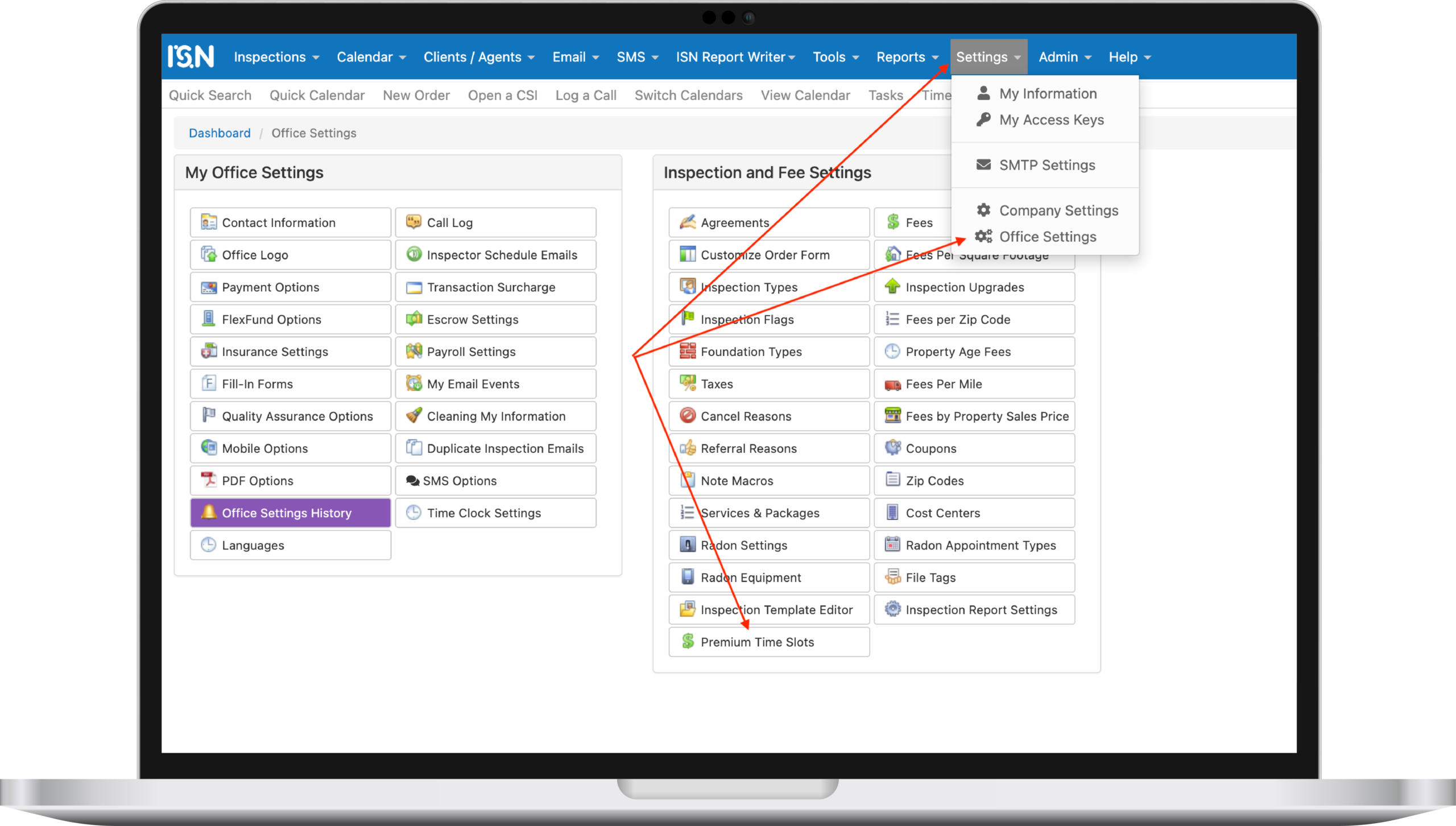
- Go to Office Settings → Premium Time Slots
- Set up your day and time rules
- Choose flat fee amounts
- Toggle client visibility
- Save your settings and you’re good to go
It applies instantly, with no impact on your existing bookings. For a complete walk through, be sure to check out this article on the ISN Help Center.
Start your free trial
Already using ISN? Log in and flip the switch.
New here? Then now’s the time to see how modern home inspection software can streamline your business – and your weekends. Premium time slots is just one of the ways ISN helps you ditch the busywork and boost your bottom line.