
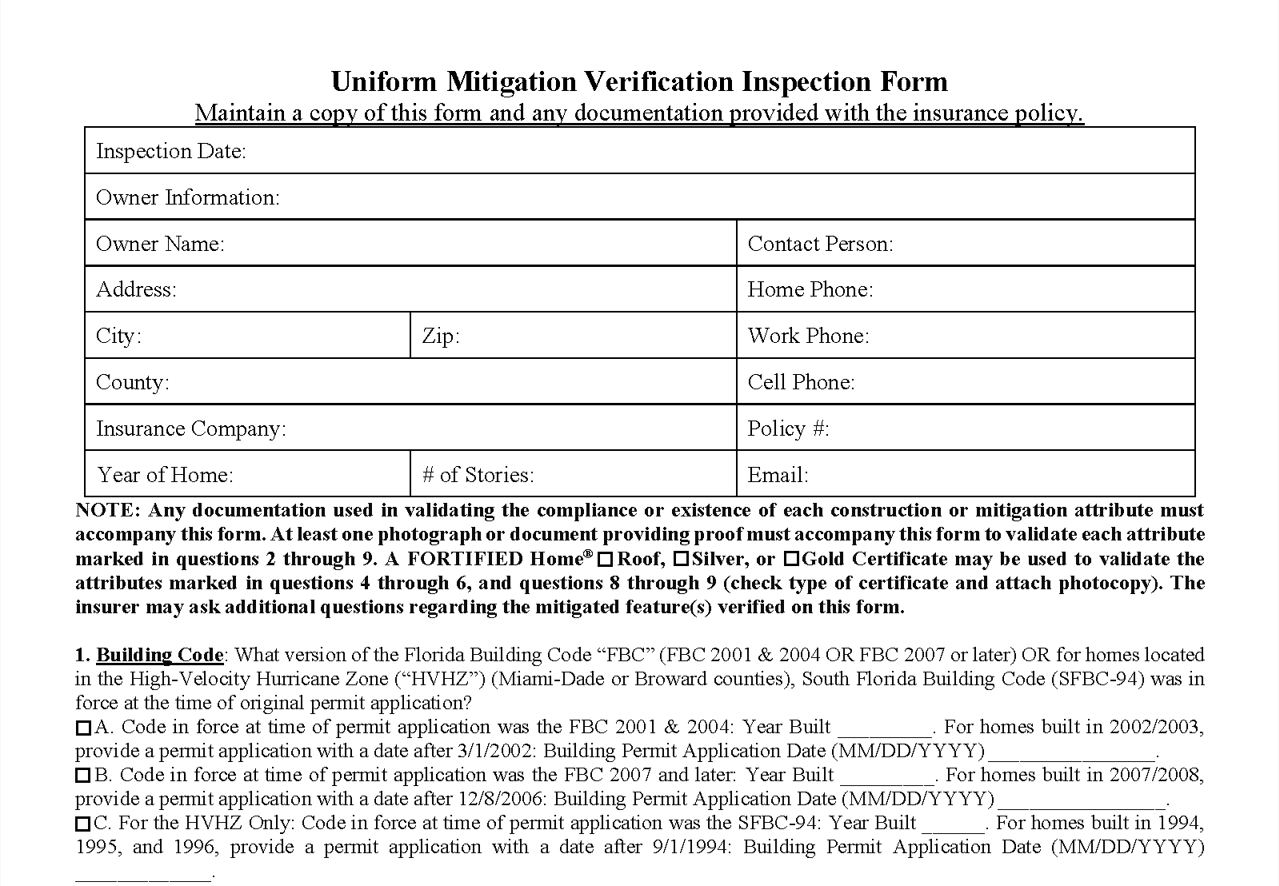
If you haven’t downloaded the updated Florida Wind Mitigation template yet, now’s the time to do so. It’s called Uniform Wind Mitigation – 2026, it’s already in ISN, and it covers everything required under the latest rules of compliance.
What is the Uniform Wind Mitigation – 2026 form and why does it matter?
The Wind Mitigation form is what you use to document a home’s wind-resistant features – roof covering, deck attachment, opening protection – so insurers can calculate hurricane discounts. Florida recently updated the compliance guidelines for this form, and Uniform Wind Mitigation – 2026 is the version you should be using.
Why a new template instead of just updating the existing one?
Because messing with an active fixed-form template while jobs are in flight causes problems. A new template protects your current reports and gives you a clean path to the updated form – no tangled-up workflows, no surprises.
And it’s not fresh off the press. It’s been tested internally and with real ISN users before it went live. It’s ready to work.
How do I update my wind mitigation template in ISN?
- Go to the template library in ISN
- Download Uniform Wind Mitigation – 2026
- Activate it so it’s set for your next Wind Mit report
Updating the template is fast and easy – here’s a step-by-step guide to help you out.
Frequently asked questions
Will switching to the new template mess with my completed wind mitigation reports in ISN?
Nope. Anything already finished stays untouched. The new template only kicks in for reports you start after downloading and activating it.
How soon do I need to do this?
As soon as possible. Reports on the old form may not meet compliance requirements and could be rejected. Don’t let a busy week push this to the back burner.
Is Uniform Wind Mitigation – 2026 available to all ISN users?
Yes – it’s in the ISN template library right now, ready for everyone to download.
How do I know if I’m still using the old wind mitigation template in ISN?
Pull up your active templates. If Uniform Wind Mitigation – 2026 isn’t on the list, you still need to grab it.
Questions? ISN support is ready to walk you through it – send us a message or give us a call at (800) 700-8112.