
Are you a home inspector looking for more control over your report presentation so you can stand out from the competition?
ISN’s new Report Designer gives you just that – a flexible, visual way to tweak your inspection reports without being boxed into rigid templates. You can now tailor your layouts, ratings displays, and visuals to match your specific workflow and style.
What’s new?
1. First impressions that fit your brand
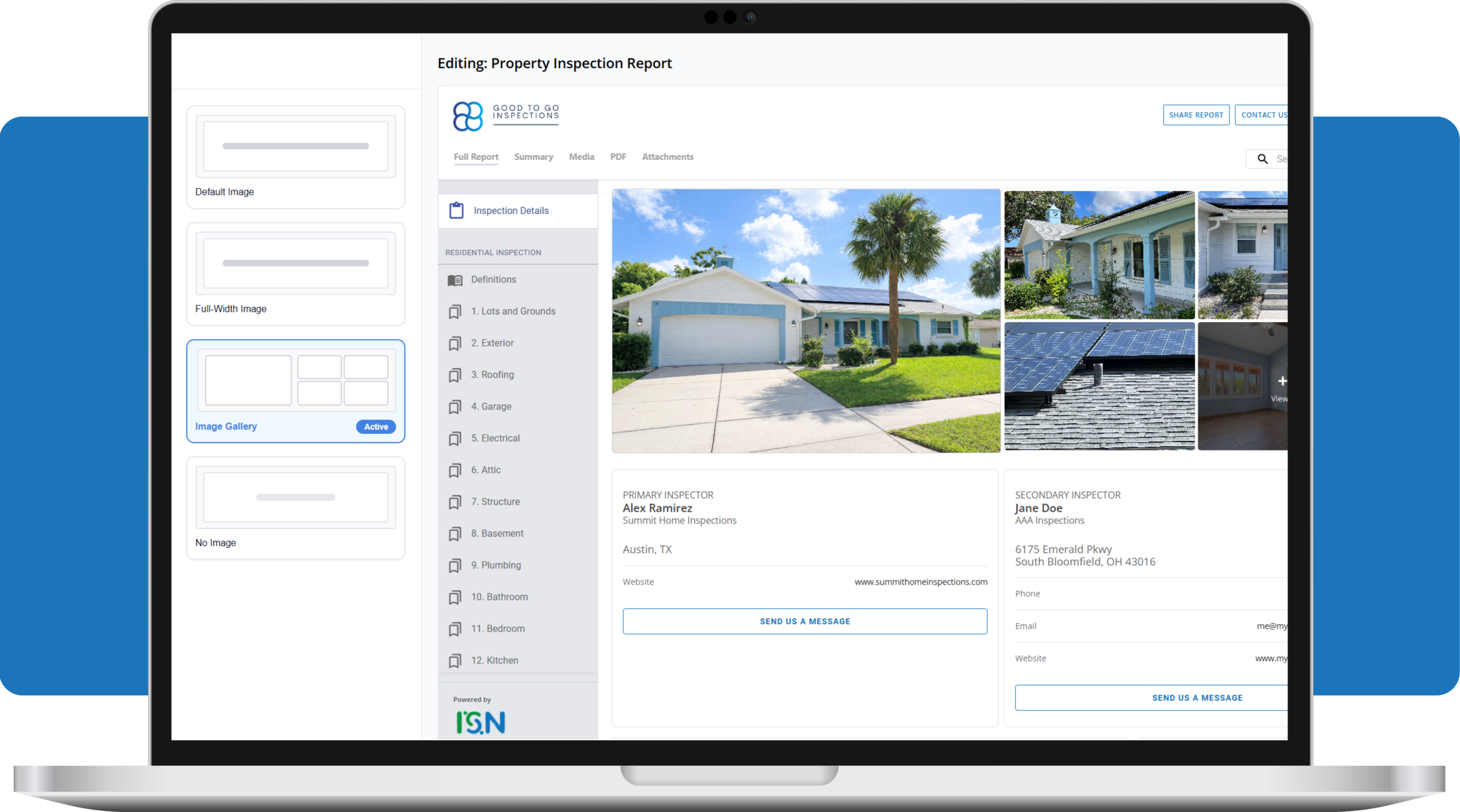
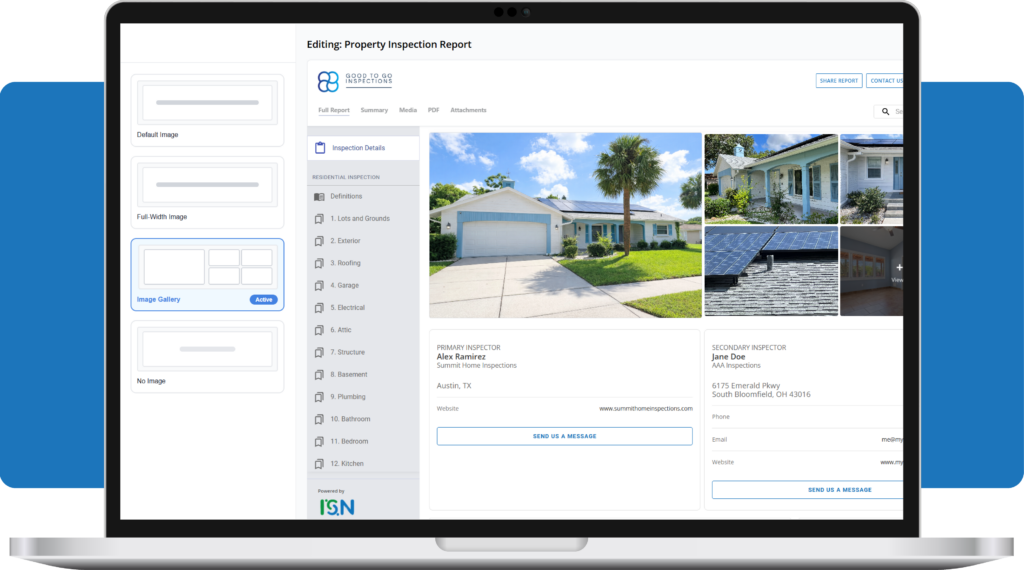
The “Featured Image” is the first thing a client sees. You now have four distinct ways to set the tone:
- New and improved default Image – A clean, traditional look that highlights a single property photo with inspection details below
- Full-Width Image – A bold, modern presentation with inspection details overlaid on the photo
- Image Gallery (Multi-Image Header) – A structured grid that showcases multiple property highlights right upfront
- No Image – A minimal, text-first layout that prioritizes documentation and faster loading
Each choice updates instantly with Live Preview, so you can see exactly how the page looks before publishing.
2. Ratings that are easy to read
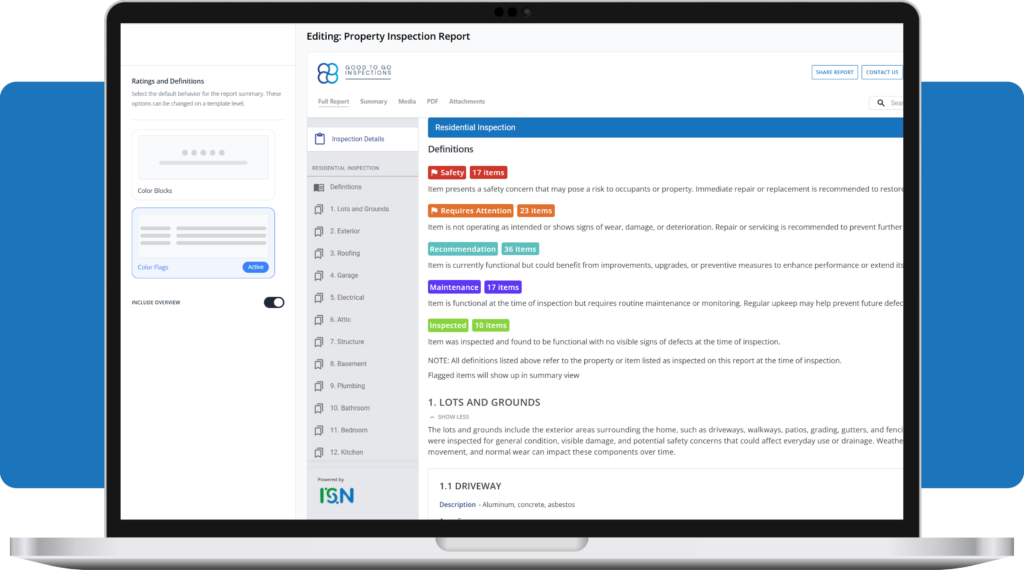
Findings should be easy to interpret at a glance. With ISN’s Report Designer, you can customize how rating definitions are displayed and how rating summaries appear inside your report.
You can choose between:
- Style 1 – Color Blocks: A structured, single-column layout that keeps definitions clear and easy to scan. Rating counts can appear as color-coded overview boxes at the top.
- Style 2 – Color Flags: A more visual, badge-style presentation with embedded rating counts for a streamlined, dashboard-style summary.
Inspectors can also take advantage of a new Overview section, which provides a high-level summary of how many findings fall into each rating category. This section appears above the rating definitions when enabled. It is turned on by default but inspectors have the option to turn it off, if they choose.
The goal: make it simple for clients and agents to quickly understand condition levels without digging through paragraphs of text.
3. Edit with confidence
The Report Designer includes a clear workflow so you can perfect your design behind the scenes. Save your progress as you go, use Preview to see exactly what the client will see, and only hit Publish when you’re ready to apply the changes to your future reports.
This is just the beginning
We’re rolling this out in phases. Keep an eye out for even more customization options, including:
- Inspection details customization
- Additional report layout options
- Custom fonts and summary layouts
Why this matters
We know you put a lot of work into your inspections – your reports should reflect that. This tool isn’t about adding more work to your day; it’s about making sure your findings are easy to read and your business looks polished. It’s flexible design that stays out of your way, so you can focus on the inspection itself.
Ready to take control of your report style? Start your free ISN trial today and see how the new Report Designer helps you deliver cleaner, more professional reports without adding extra steps to your workflow.