
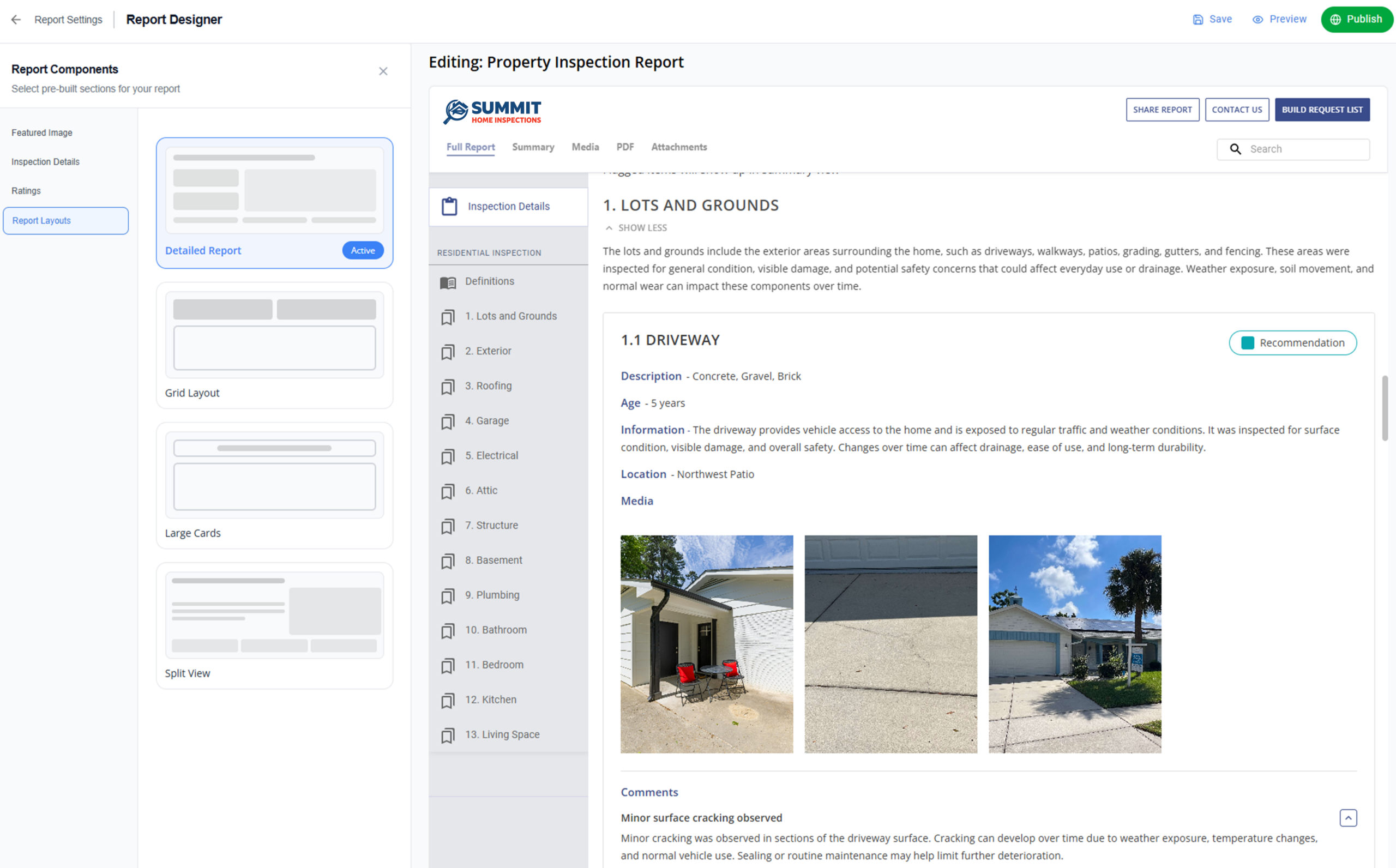
Interactive report layouts are a brand-new addition to the ISN Report Designer, designed to give you more control over how your findings are structured and delivered. Rather than being locked into a single format, you can now select from a variety of design styles – ranging from a classic narrative flow to a high-density grid – to align with your professional brand and exceed your clients’ expectations.
Our mission at ISN has always been to streamline your workflow and get you through inspections faster. But speed shouldn’t come at the expense of a professional, clear report. If a report is difficult for a clients and agents to navigate, it could impact whether the latter refers more business to you. This update to the ISN Report Writer allows you to choose a layout that improves readability and helps clients and agents review your findings without the distraction of a cluttered screen.
Key features of the update:
- Visual style gallery: Browse through layout options using high-resolution preview cards to find the right match for your brand before applying changes
- Live format updates: Experience immediate results as you toggle between styles – your report data adjusts in real-time so you can finalize your look instantly
- Seamless detail access: Clients can simply select a finding to view comprehensive notes and media in a convenient side panel, keeping the main report organized and easy to navigate
- Full device compatibility: Your reports are engineered to look professional on any screen, providing a polished experience whether your client is on a smartphone at the property or a desktop in the office
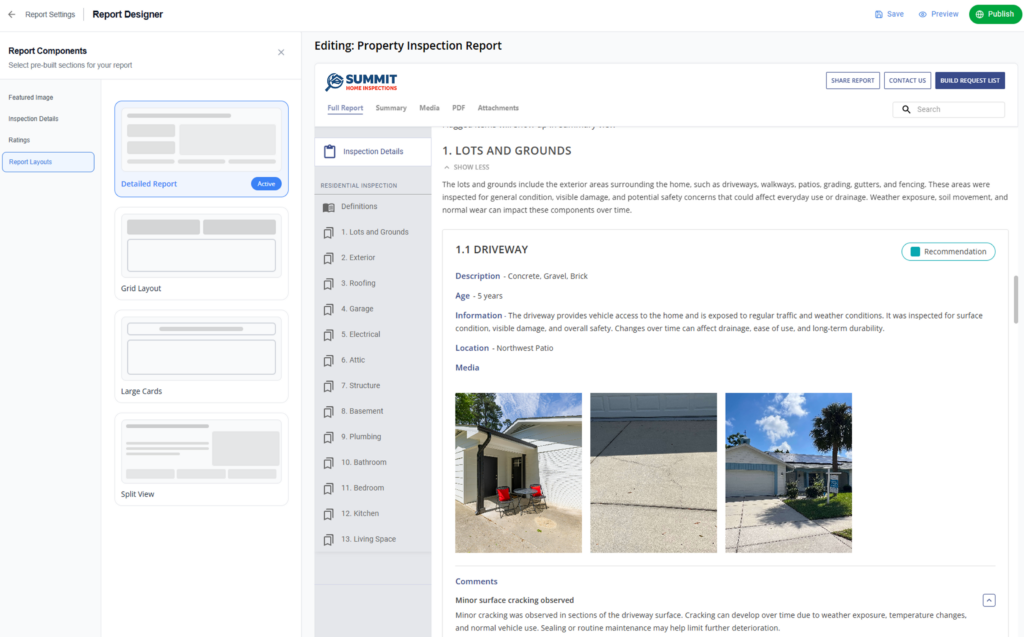
Style 1: Default Layout
Best for:
- Inspectors who prefer a structured, narrative-forward presentation
What’s included:
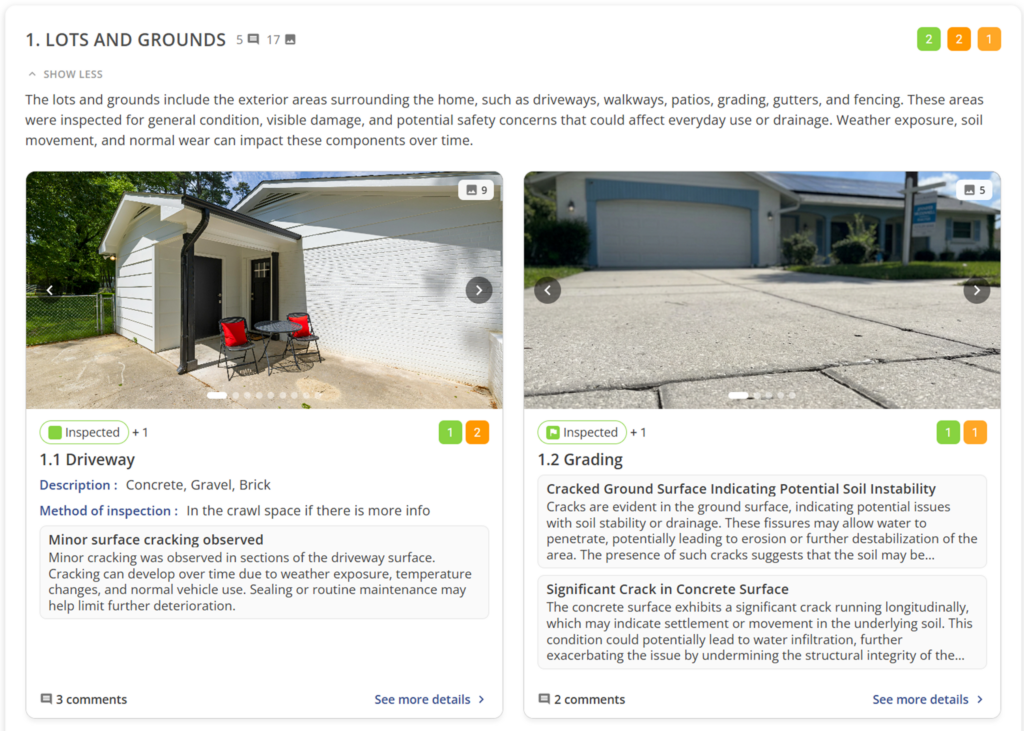
- Category view: Introductory text is open by default with a “View Less” call to action
- Card structure: Each line appears in a rounded card
- Content: Displays line name, description, and full comments within the card
- Media: Show ratings, associated media thumbnails, and total media count
Value:
- Familiar, professional structure closest to classic, traditional layouts
- Strong visibility of written observations
- Detailed information appears upfront without requiring extra interaction
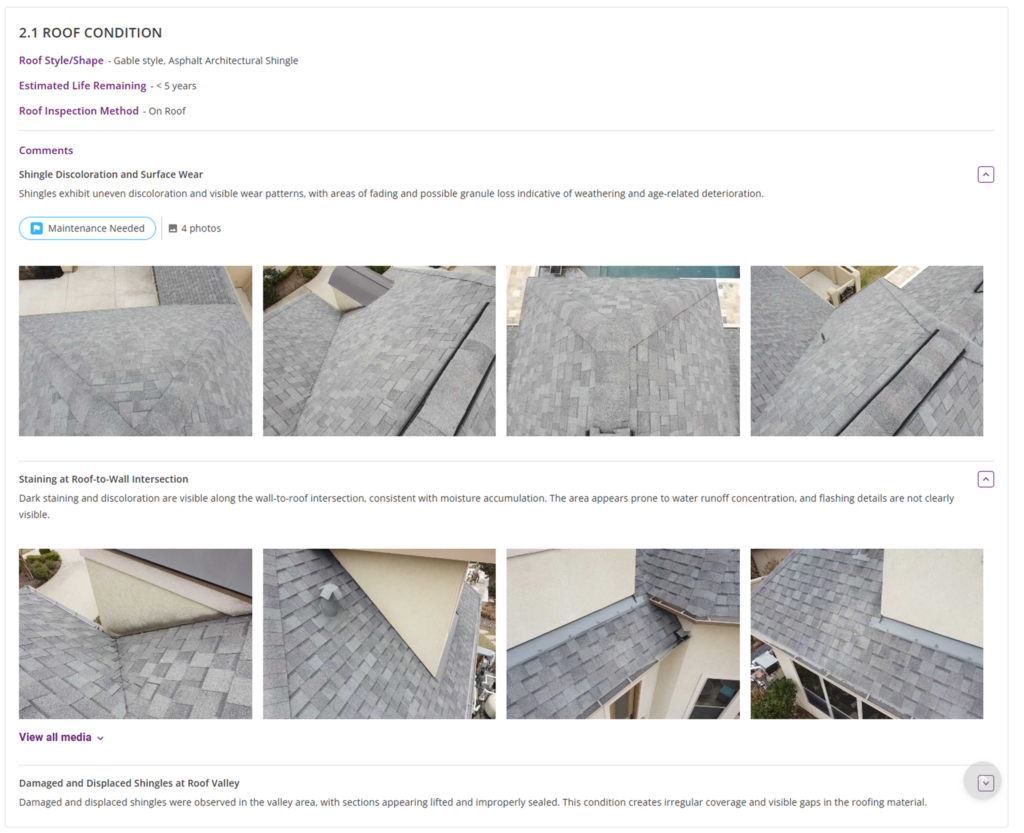
Style 2: Grid Layout
Best for:
- Inspectors who want a highly visual, scan-friendly report
- Buyers who want quick insights – they’ll get the summary first and the details on demand
What’s included:
- Category view: Each category appears as its own distinct block
- Arrangement: Responsive grid with 4 line cards per row
- Each grid card includes: Line name (top left), ratings count (top right), location, line description, and one main media thumbnail
Value:
- Highly scannable for buyers who want quick insights
- Makes the report feel like a modern, interactive app
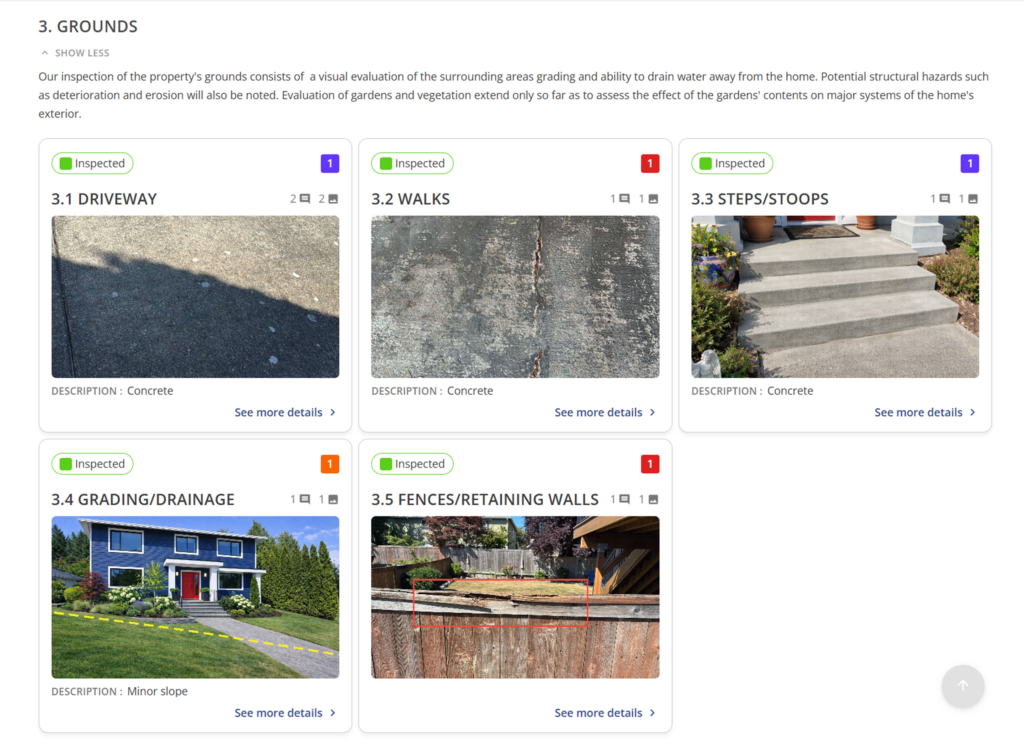
Style 3: Large Cards Layout
Best for:
- Inspectors who want a highly visual, media-forward presentation
What’s included:
- Each card includes: A massive image or media carousel at the top, line name, and key details below
- Technical Details: Displays comment, photo, and video counts
- Badges: Shows rating summary badges, such as Recommendation, Requires Attention, Inspected
- Included info: Line descriptions and supporting information
- Interaction: All line cards are clickable to open the detailed side panel
Value:
- Large, high-visibility images make defects impossible to ignore
- Creates a strong balance between imagery and explanation
- Photos carry equal weight as written findings
Style 4: Split View Layout
Best for:
- Inspectors who want to see line details and media side-by-side in a balanced format
What’s included:
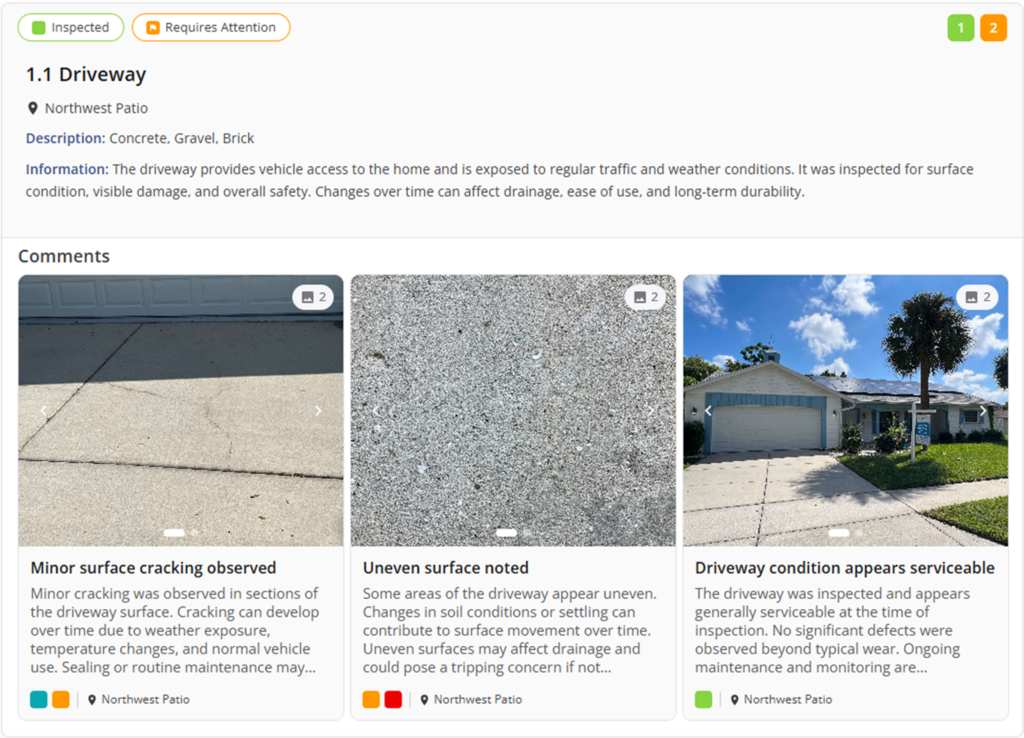
- Arrangement: Wide, horizontally split cards
- Card Content: Line name at the top; details (materials, location, ratings) on the left; large media or carousel on the right
- Details: Displays rating summary badges and comment/photo/video counts
- Comment Cards: Individual media cards below the line, each including:
- Comment image/thumbnail (with carousel support)
- Comment title and description
- Location and assigned rating badge
- Interactive Media: Media thumbnails support carousel browsing so clients can swipe through multiple images without leaving the card
Value:
- Balanced presentation that doesn’t hide text behind photos
- Easier for clients to connect descriptions with visual evidence and review findings without switching between summary and detail
- Seamless navigation – all line sections and comment cards remain clickable to open the detailed side panel for a deeper dive
- Creates a clean, modern reading flow
Interactive Line Details (Side Panel Experience)
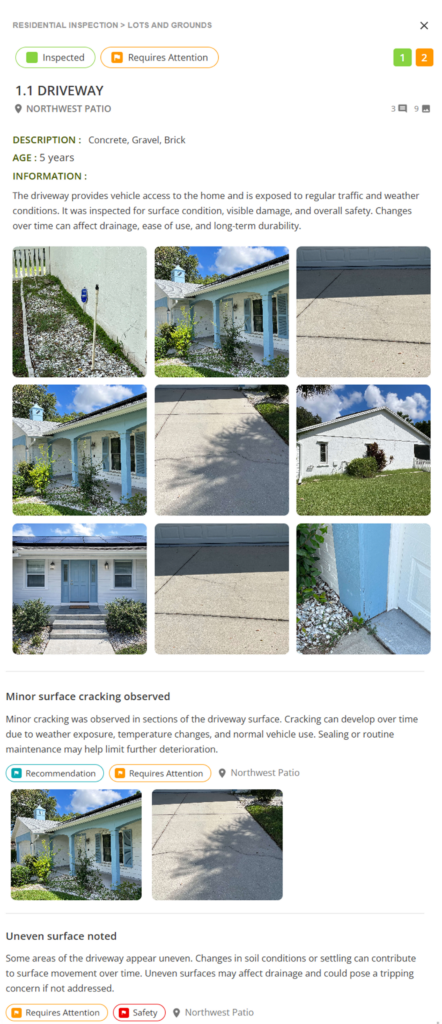
With this option, your clients get a smooth detail view. When a line item is clicked:
- Side Panel: A panel slides in from the right with the full breakdown
- Context: The main report stays visible (and dimmed) in the background, so you never lose your place
- Speed: An “X” allows for quick closing – no full-page navigation or “back button” required
Experience a better way to write reports
Your inspection report is more than just a list of findings; it’s the final impression you leave with every client and agent. With these new interactive report layouts, you no longer have to choose between a fast workflow and a high-end presentation. You can now deliver a polished, modern experience that reduces follow-up questions and strengthens your professional reputation. And don’t forget, we recently added the ability for inspectors to control which property and contact details show up in your final home inspection report
See firsthand how the ISN Report Designer can transform your day-to-day workflow. Start your free ISN trial today and take full control of your report writing style.