
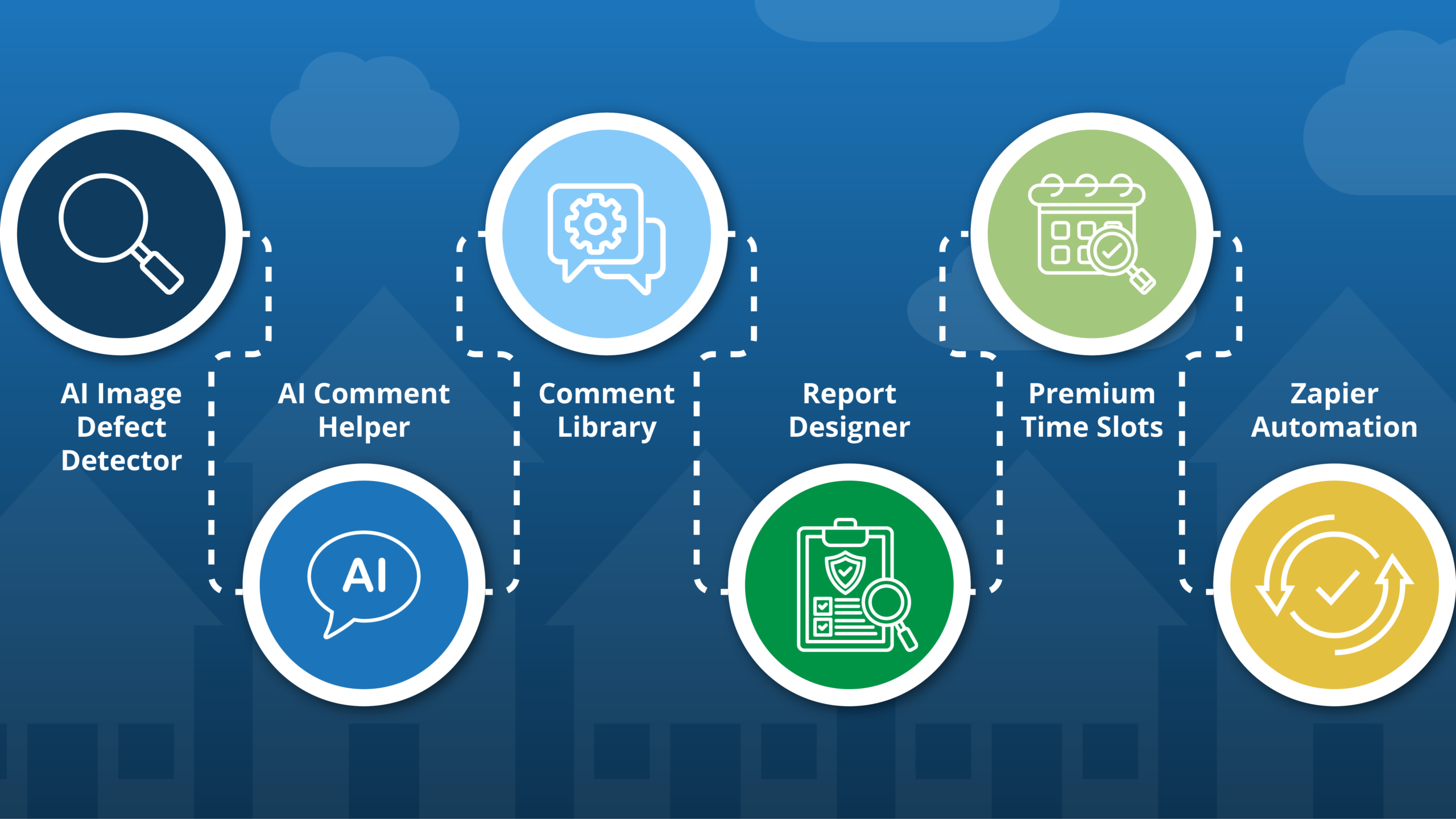
What does the best home inspection software look like in 2026? If you ask us, it looks like software that keeps getting better – shipping new tools, closing gaps, and making every part of your workflow faster and smarter.
Over the past several months, we’ve been on a tear. New AI-powered report writing tools, a new comment library, business automation, and scheduling features that put real money back in your pocket. This isn’t a one-off update – it’s a streak. And we’re not done.
Here’s everything we’ve shipped, and what it means for your inspection business.
What AI tools does ISN have for home inspectors?
ISN now has two AI-powered tools built directly into our Report Writer designed to cut report-writing time and sharpen the quality of your findings.
AI Image Defect Detector
What if your home inspection software could automatically review inspection photos for defects and write relevant comments for you?
The ISN AI Image Defect Detector does exactly that. Upload your photos and the AI gets to work – scanning for visible defects like cracks, moisture damage, and wear, then generating a suggested comment for each one. You review it, edit it to match your voice, and add it to the report in a few clicks.
The result: less time staring at photos trying to remember what you wanted to say, and more consistency across every report you or your team produces. If you’re looking to speed up report writing, this is a win-win.

AI Comment Helper
The AI Comment Helper is our first AI-powered feature – and it remains one of the most impactful upgrades we’ve made to the ISN Report Writer.
Here’s how it works: start typing a comment title or description, and the AI suggests a complete, relevant comment you can use as-is or customize as needed. Toggle between longer or shorter outputs. Switch on recommendations for a more comprehensive approach. It adapts to how you work.
Why home inspectors use the AI Comment Helper:
- Faster report writing – spend less time at the keyboard after every job
- More inspections, same time – write reports faster and increase your daily capacity
- Consistent, professional tone – every report sounds polished, whether it’s your first or third of the day
- Zero setup – it’s already built into the ISN Report Writer, ready to go
In a nutshell, with the AI Comment Helper, there’s no more need for you go to ChatGPT to generate a comment and then copy and paste that comment into your report. It’s all right there in ISN, easy peasy!

Does ISN have a comment library?
Yes – and you’re gonna love the way it works.
The ISN Comment Library lets you save your most-used comment blocks and pull them into any report instantly. No more copy-pasting from old reports. No more retyping the same language for the same issues over and over again. Save it once, reuse it forever.
What else? Narrative Comment Support. You can now build comment blocks with dropdowns and input fields that generate detailed, plain-English narrative comments – the kind that help clients and agents understand what they’re looking at without a follow-up call.
For inspection companies that care about consistency and efficiency, this is a game-changer. Your best comments, standardized and ready to go.
Read more about the ISN Comment Library + Narrative Comment Support
Can you customize ISN inspection reports?
Absolutely – and the new ISN Report Designer makes it easier than ever.
Your report is your calling card. It’s what the client holds onto long after you’ve packed up your ladder. We’ve added more flexibility to our templates so you can dial in a look that matches the way you work and the brand you’ve built.
Here’s how the Report Designer puts you in control:
- Featured image: Take advantage of multiple options – a single, bold photo or a gallery of shots to showcase the property right up front, or, if you choose, no image
- Easy-to-read layouts: Help your clients spot what’s important with high-visibility color blocks or “badge-style” flags for your rating definitions so the home’s condition is clear at a glance
- Build it your way: You can work on your new layout without touching your jobs – just use the Live Preview to see how it looks on a phone or tablet, and only hit Publish when it’s ready.
Check out the Report Designer and customize your layout
Can home inspectors charge more for popular time slots?
They can now.
ISN’s Premium Time Slots feature lets you set higher prices for your most in-demand appointment windows – early mornings, weekend slots, or any time that books itself every week. Clients who want the prime times pay a little more. You get compensated fairly for the convenience you provide.
Smart pricing isn’t something new in many industries. Plumbers charge more for Saturday. Electricians charge more for same-day. Now home inspectors can too, and in an automated way.
Stop leaving money on the table – watch how Premium Time Slots works.
Does ISN integrate with Zapier?
Yes – and the integration recently got a serious upgrade.
The ISN Zapier integration connects your ISN account to thousands of other apps and automates the workflows that eat up your time. Set up a “Zap” – a trigger-and-action workflow – and let it run in the background while you focus on inspections.
Example: A new order is created in ISN, it automatically appears as a task in Trello, gets logged in a Google Sheet, and pings your team on Slack. No manual entry. No missed steps.
Available ISN triggers in Zapier:
- Order Created
- Order Scheduled
- Order Paid
- Order Complete
- Order Canceled
- Agent Updates
- Client Updates
Set it up once. Let it run. Spend that time on something that actually grows your business.

Why is ISN investing in these features?
Because home inspectors deserve software that works as hard as they do.
ISN powers more than a million inspections every year. We hear from inspectors every day about what slows them down – report writing that runs long, scheduling that doesn’t reflect the value of their time, manual tasks that could easily be automated. Every feature in this roundup is a direct response to that feedback.
We’re not done. The team is continuing to invest in both the ISN Report Writer and our business management capabilities. More updates are on the way.
Ready to try these features?
If you’re already an ISN user, log in and start exploring – everything above is available in your account now.
Have a feature request? We’re all ears. Submit your feature request via our Inspection Support Network Feedback portal. And if you’re not yet an ISN customer, consider starting a free trial now. You’ll see why inspectors across the country trust it to run their businesses.