
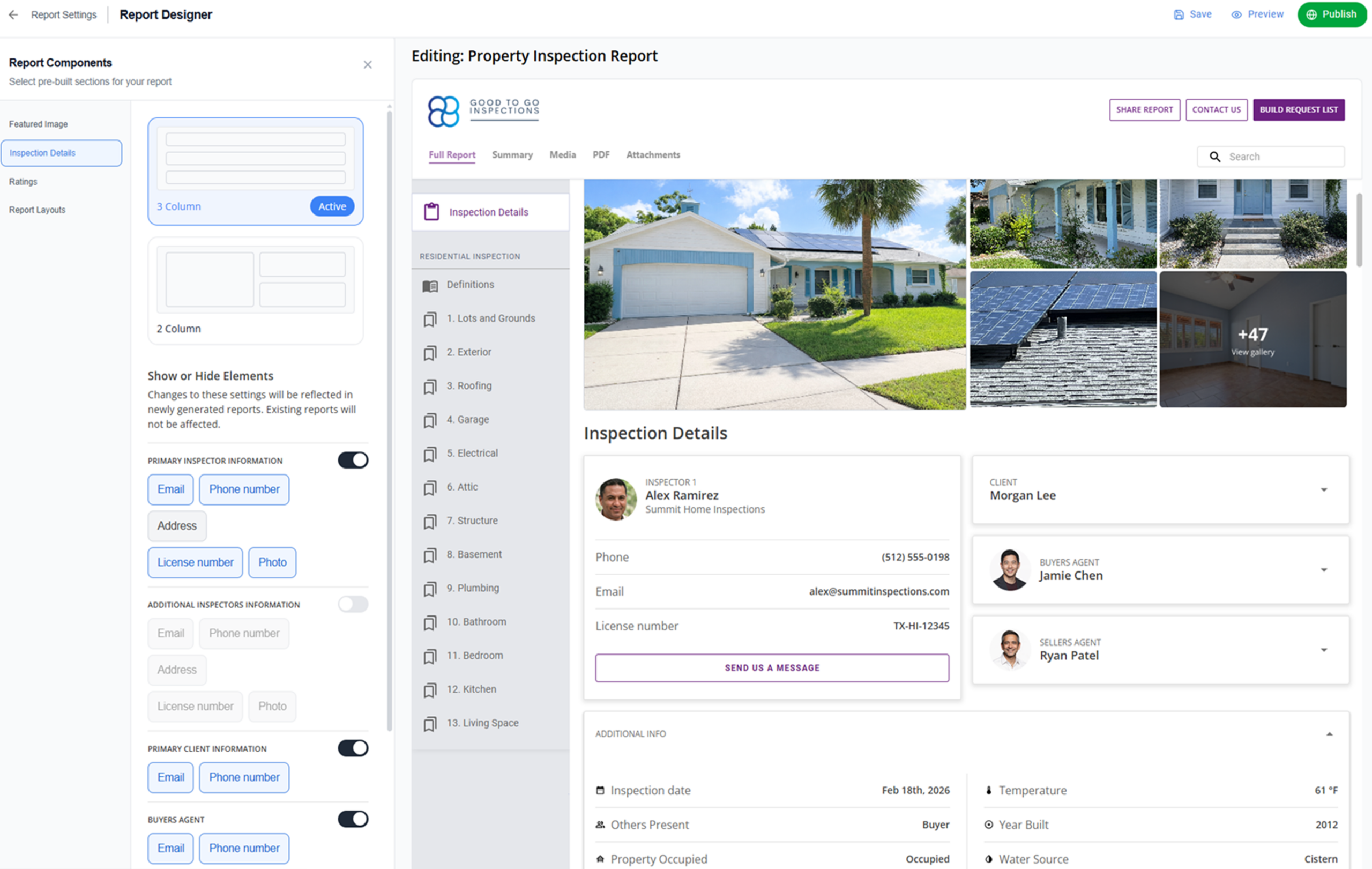
How do you change which property and contact details show up in your final home inspection report?
Your inspection report is the most important piece of branding you leave behind. It sets the tone for your entire business. It’s more than just a list of names and addresses – it’s your professional handshake.
Since every job and every client is different, we’ve added new Inspection Details customization options to the ISN Report Designer, which we first rolled out last month in the ISN Report Writer. This update gives you the flexibility to handle two very different professional needs at once:
- For your business branding: You can highlight license numbers, credentials, and professional photos to build trust and show you’re the right inspector for the job
- For your client’s privacy: You can toggle off sensitive contact fields – like personal cell numbers or emails – to ensure total confidentiality when the situation calls for it
Instead of being stuck with a one-size-fits-all template, you now have the tools to choose exactly how your business, your team, and your property data are presented.

New ways to customize your inspection details
The Inspection Details section gives inspectors two primary ways to build a report that fits their brand:
- Layout style selection: Pick a visual structure that matches your style (Split-view vs. Multi-card)
- Visibility controls: Use simple “show/hide” switches to decide which specific details make the final cut into the report
What’s included in these layouts?
Each layout uses organized cards to keep information for clients and agents easy to read. Depending on the job and the client’s privacy needs, you can choose to include:
- Inspector details: Highlight your team with professional photos and contact info
- Company branding: Showcase your logo, website, and business details clearly
- Professional credentials: Display license numbers and credentials to build trust
- Private data toggles: Quickly hide or show phone numbers and emails for inspectors, clients
- CTA: Send us a message
What’s the value for home inspectors?
Put your credentials to work. These structured cards place your licensing and contact details right at the top of the report to reinforce trust and make follow-up easy for clients and agents. Including agent photos is a straightforward and easy way to support your referral partners and show them you value your professional relationship with them.
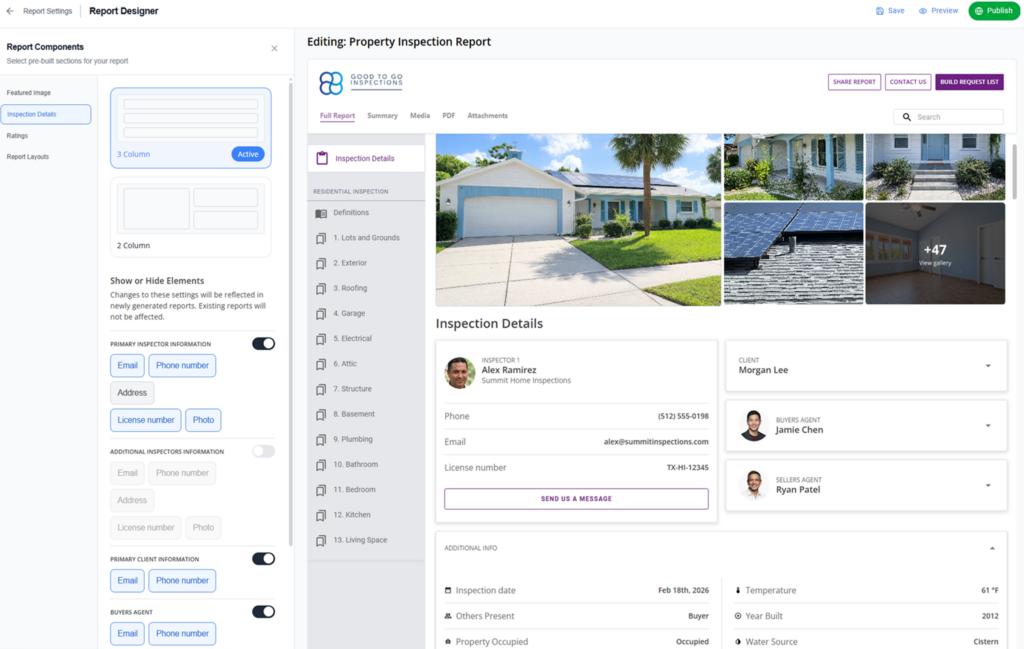
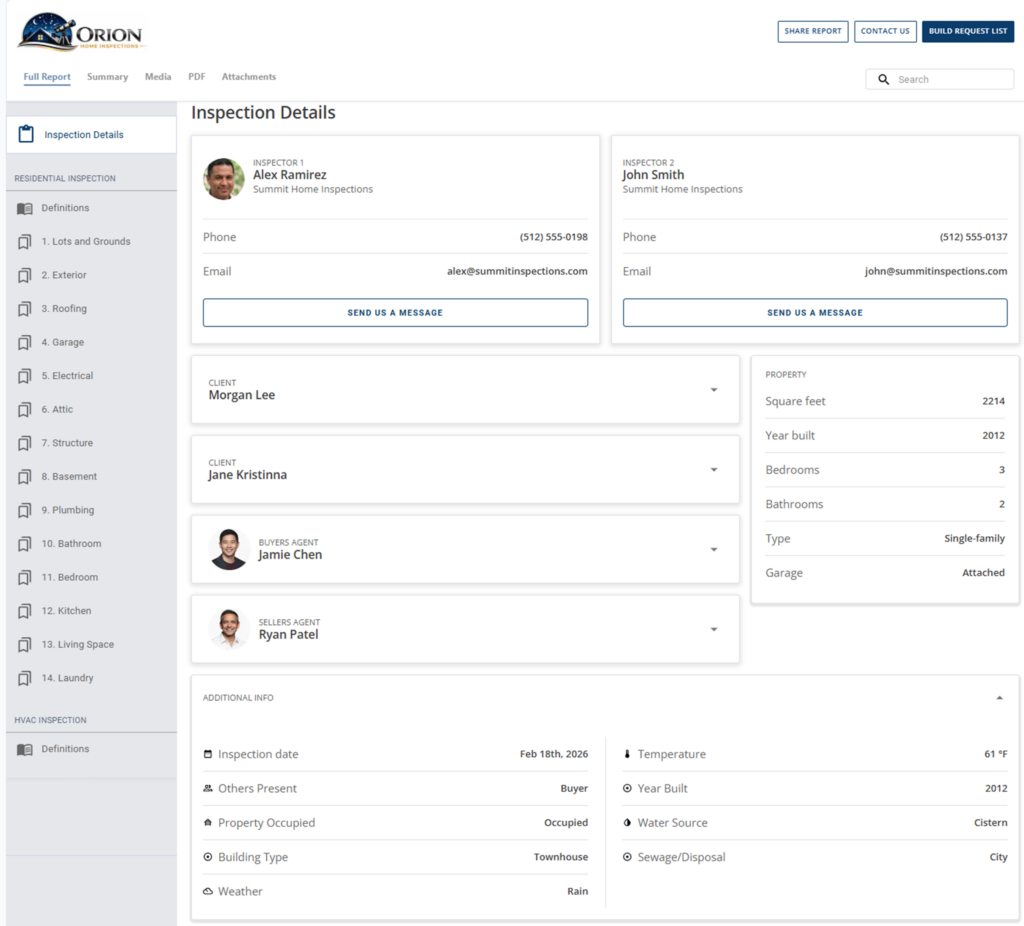
Structured multi-card layout – Style 1
If you like a traditional, “just the facts” look, Style 1 is your best bet. It uses a clean, card-based layout organized into rows of three columns, followed by full-width panels for additional sections. It’s built for inspectors who want to surface a lot of data quickly without overwhelming the reader.
What does this layout include?
Top section (card layout) – all optional:
- Primary inspector
- Secondary inspector
- Client(s)
- Buyer’s agent
- Seller’s agent
- Property details
Below the cards (full-width panels) – both optional:
- Additional information (inspection date, weather, utilities, etc.)
- Services and payment summary (including “View Invoice” CTA)
What’s the value?
Whether you’re showing off your full team or keeping the header minimal for a private client, these cards automatically wrap and adjust to fit your settings. This ensures your report always has a clean, balanced layout without you having to worry about awkward gaps or messy alignment.
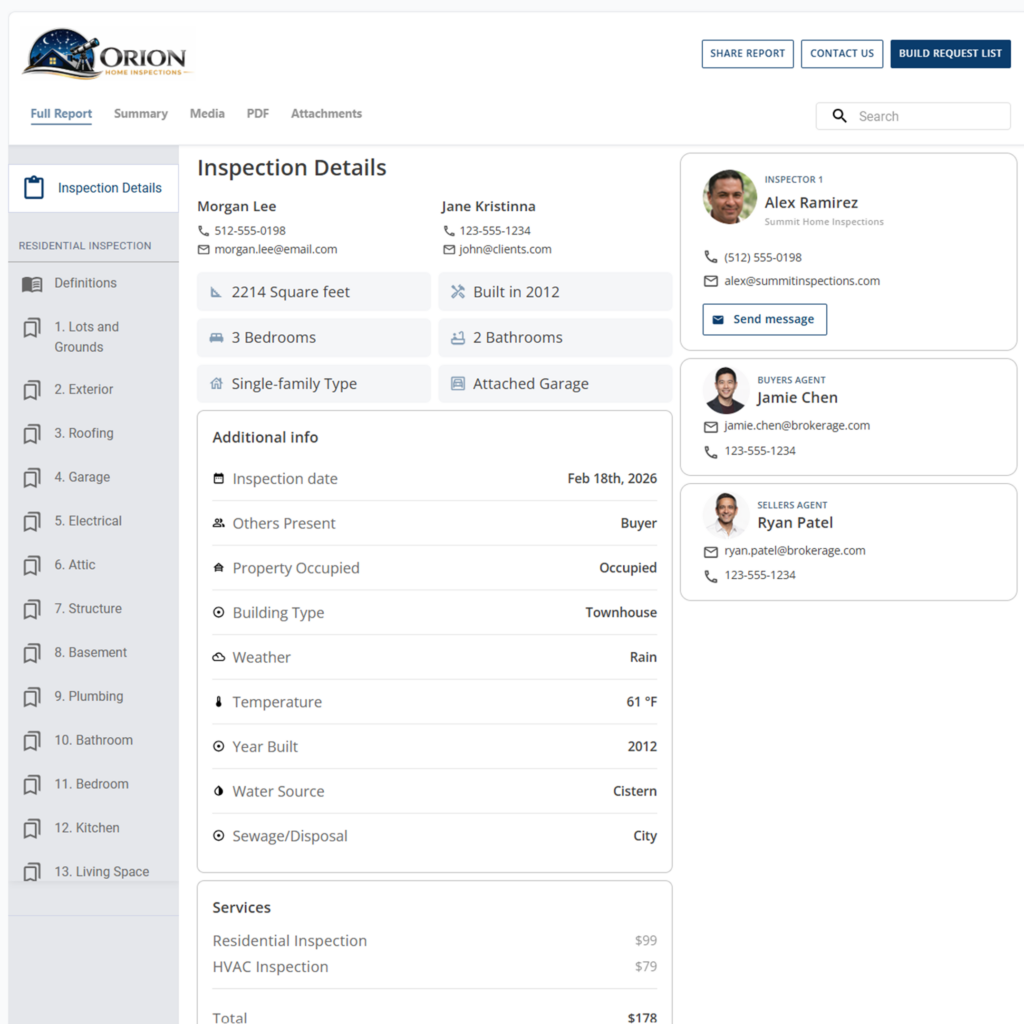
Split-view layout – Style 2
If you prefer a modern, app-like feel, Style 2 organizes your information into two clear side-by-side columns. This is a contemporary layout that helps agents and clients scan your most important credentials and property details in a single glance.
What does this layout include?
Left column:
- Primary and secondary client
- Property details displayed in compact cards, with a “View All” option, if expanded
- Additional information
- Services
Right column:
- Primary inspector
- Secondary inspector
- Buyer’s agent
- Seller’s agent
What’s the value?
By using a side-by-side view, this layout presents a balanced “handshake” between the property details and the professional team involved. Property data is tucked into compact cards with a “View All” option, keeping the header streamlined while ensuring your professional identity and agent partners stay highly visible.
Visibility toggles: Full control over report content
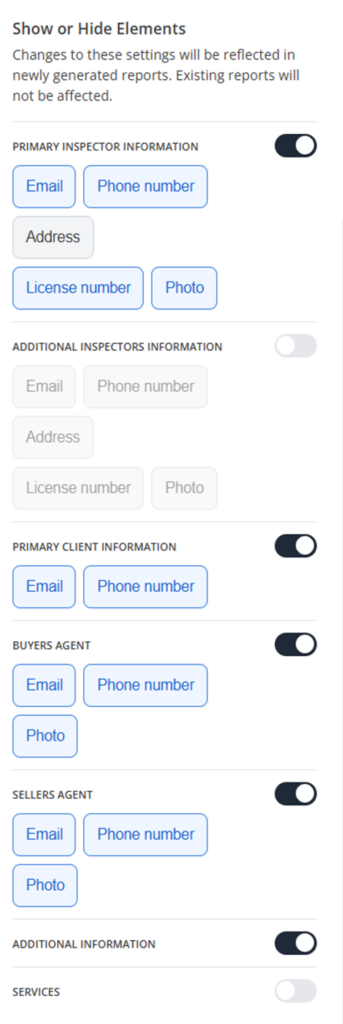
You now have the power to flip a switch and show or hide entire sections or specific fields. Whether you need to keep a client’s personal cell phone private or you want to highlight a secondary inspector’s license info, you can pull data from the report with a single click.
What can you control?
Within the Report Designer, you can turn entire sections on or off including:
- Primary inspector
- Secondary inspector
- Primary client
- Secondary client
- Buyer’s agent
- Seller’s agent
- Property information
- Additional information
- Services
Field-level toggles
For the sections you keep active, you can get even more specific. You can choose exactly which details appear, such as:
- Email addresses, inspector address, phone numbers
- Professional license numbers
- Photos for inspectors and agents
What is the value?
This isn’t just about “custom fields” – it’s about giving inspectors more brand control and the flexibility to manage your privacy and compliance as you see fit. You decide the level of detail so your reports always look like your business, not a generic template.
What’s next for your inspection reports
We’re focused on building a report experience that grows with your business and makes your life easier in the field. The Report Details is just a just the beginning – keep an eye out for our next announcement coming soon. We’ll be rolling out new functionality for interactive report layouts shortly!
In the meantime, stop fighting with templates and start building reports that work for you and your brand. Show off your credentials (you earned ‘em), protect your client’s data, and give your favorite agents a reason to keep sending you leads.
Try ISN for free and see the difference that total brand control makes for your business!