
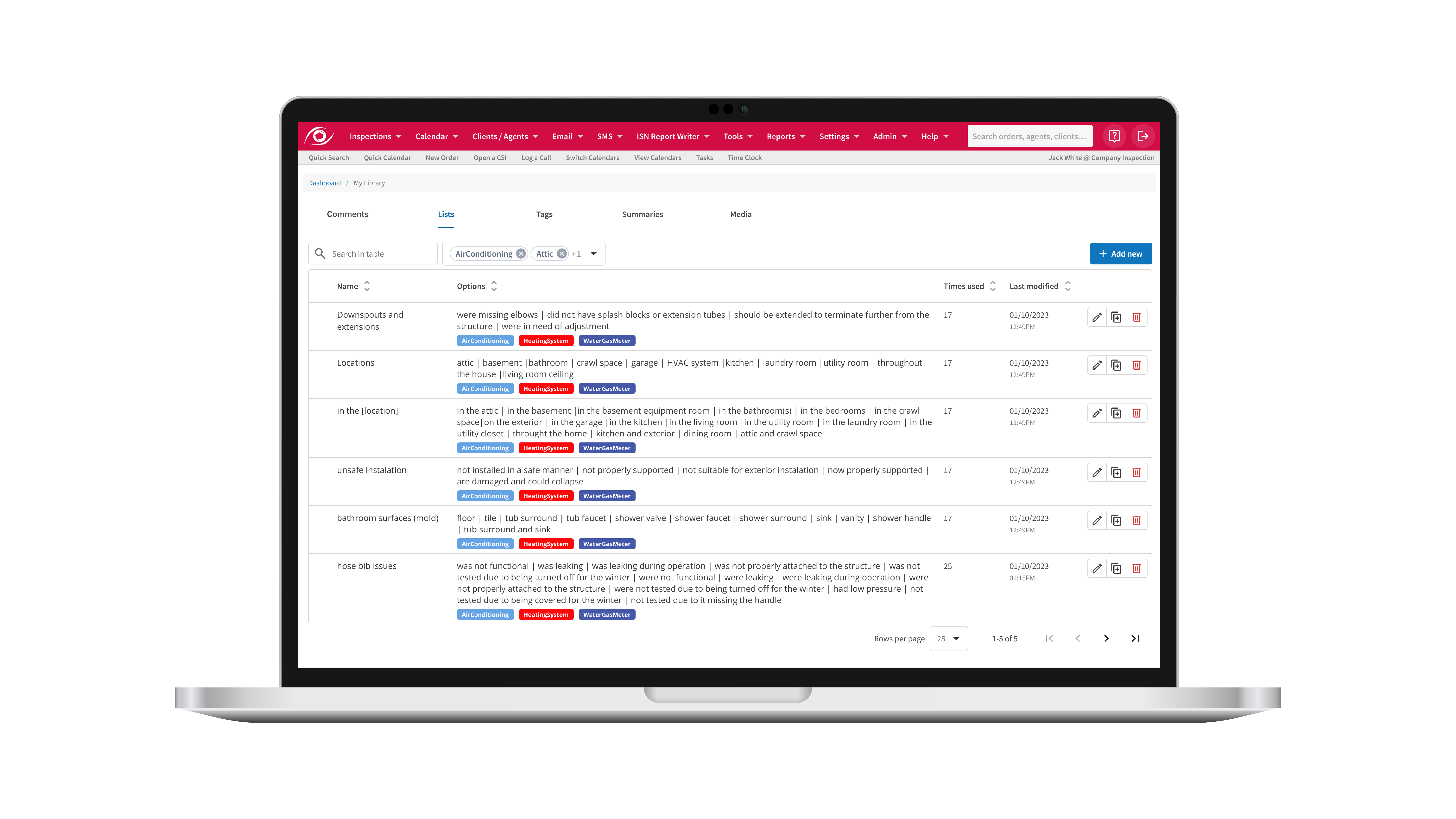
Home inspection software global lists are now part of ISN, giving inspectors a clear and organized way to manage the values used throughout their report writing. One place to build them, one place to update them, and one less thing cluttering your workflow.
Why ISN’s Global Lists matter
Global lists introduce a smarter, more scalable way to manage the dropdown options that appear across your templates. Instead of copying the same values into several places, admins can build a reusable list once and connect it wherever it’s needed.
Whether you’re handling appliance brands, room types, material choices, or any other repeat fields, everything stays in one place. This creates consistent, professional-grade data entry for every report and helps your team move faster with far less maintenance.
What Global Lists add to the ISN Report Writer
This feature adds a set of helpful tools that fit right into your workflow:
- A dashboard that shows all your lists in one place
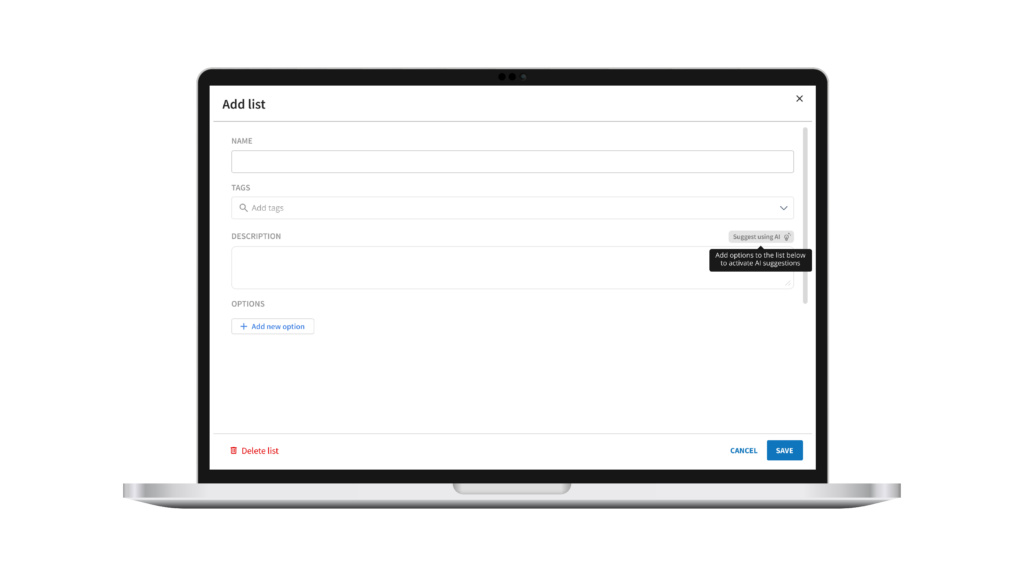
- Custom values with optional tags and descriptions
- The ability to attach lists to comments and introductory text
- Inline editing while writing reports
These tools make it easy to keep your templates clean and consistent as you work. For a complete step-by-step walkthrough, check out this article over on the ISN Help Center.
How Global Lists make report writing smoother
When your lists are centralized, your team spends less time adjusting fields and more time moving through reports. Edits happen in one place, and the updates carry through wherever that list is used. It’s a simple improvement that helps everything run a little smoother.
Try Global Lists inside ISN
Global Lists bring clarity, speed, and structure to the ISN Report Writer, giving inspection teams a clean way to manage the values their templates rely on.
Ready to see how Global Lists fit into your workflow? Try them inside ISN or start your free trial today.